Najczęściej zadawane pytania
Nie możesz znaleźć odpowiedzi, której szukasz? Odezwij się do naszego zespołu obsługi klienta
- Jak mogę zaimportować swoje podkreślenia Kindle Highlights do Clippings.io?
- Po prostu skorzystaj z Rozszerzenie do przeglądarki dla Clippings.io lub prześlij swój plik „my clippings.txt” do Strona importu.
- Które wersje Kindle obsługujecie?
- Obsługujemy wszystkie wersje Amazon Kindle. W przypadku importu poprzez rozszerzenie Clippings.io do przeglądarki wspieramy wszystkie wersje Kindle oraz każde urządzenie, które obsługuje różne aplikacje czytnika Kindle, na przykład iPad, iPhone i urządzenia z systemem Android. W sytuacji importu poprzez plik „my clippings.txt” obsługujemy wszystkie wersje Kindle, które tworzą plik z wycinkami (ang. clippings). Instrukcje krok po kroku dla każdego modelu, od podstawowego Kindle po Scribe i aplikację Kindle, znajdziesz w poradniku Jak zaznaczać na Kindle.
- Jak mogę wyeksportować swoje podkreślenia Kindle Highlights?
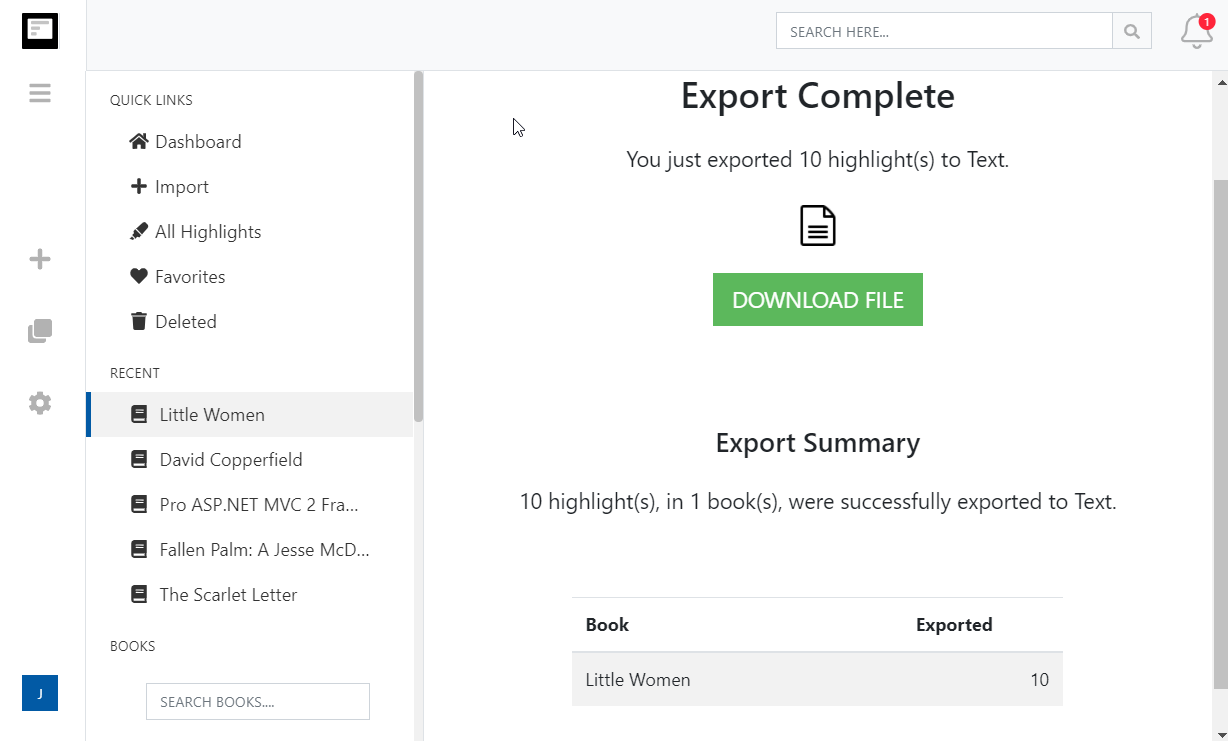
- Eksportowanie swoich podkreśleń Kindle Highlights jeszcze nigdy nie było tak proste. Wystarczy wejść w stronę eksportu i wybrać docelową integrację lub format pliku.
- Czy mogę zaimportować podkreślenia Kindle Highlights i notatki wykonane na dokumentach osobistych (dokumentach spoza Amazona)?
- Tak. Prosimy zobaczyć nasz wpis na blogu: Jak zapisywać podkreślenia Kindle Highlights w dokumentach osobistych?
More about Kindle highlights and Clippings.io
- Where are my Kindle highlights stored?
- In up to four places: on the Kindle inside each book, in the My Clippings.txt file on the device, at read.amazon.com/notebook for books bought from Amazon, and in the Kindle app. Each shows a different subset. Where your Kindle highlights are, and how to export them walks through all four.
- How do I delete a Kindle highlight?
- Tap the highlight on the Kindle or in the app and choose Delete, or use the highlight's menu at read.amazon.com/notebook. Deleting in Clippings.io never changes anything on Amazon or the Kindle. See how to delete Kindle highlights.
- Does Clippings.io work with Amazon stores outside the United States?
- Yes. The browser extension has a store picker for amazon.com, .co.uk, .de, .fr, .es, .it, .nl, .ca, .com.mx, .com.br, .com.au, .in and .co.jp, and My Clippings.txt is the same file on every Kindle. Evernote China (印象笔记) is supported as its own export connection.
- Which files can I upload?
- My Clippings.txt from the Kindle, the Notebook export (.html) that the Kindle app emails you, and JSON exports from Clippings.io itself. Uploads are deduplicated against everything you have already imported, so re-uploading a file never doubles your library.
- Is Clippings.io a browser extension or a website?
- Both. Your library lives in the web app at my.clippings.io. The browser extension for Chrome, Edge, Firefox and Brave is the fastest way to import from Amazon; the web app also accepts file uploads. There are no mobile apps.
- What can I export to?
- Notion, Markdown, Dropbox, Google Drive, OneDrive, OneNote, Evernote, Word, Excel, PDF, Text, EPUB, JSON, OpenDocument Text and OpenDocument Spreadsheet. Every destination remembers what it has already received, so a repeat export sends only new highlights; a reset re-sends everything.
- What does the free plan include?
- Unlimited imports from Amazon and from files, deduplication, the highlights explorer with editing, tagging and search, and every export destination with each exported highlight cut to its first 100 characters. The professional plan removes the 100-character limit; see pricing. There is no free trial of the professional plan and no lifetime plan.
- Do exports create duplicates if I run them again?
- No. Clippings.io keeps a record of what each destination has received. Cloud destinations get only the books with new highlights, and a book's note or file is replaced rather than duplicated. If you want everything sent again, reset the destination in Settings, Integrations.
Wyrażasz gotowość na zanurzenie się?Zacznij od darmowego konta już dziś.
Podkreśl raz, zapamiętaj na zawsze. Zacznij w pełni korzystać z potencjału książek, które czytasz na swoim czytniku e-booków Kindle.
Zarejestruj się za darmo