Domande frequenti
Non trovi la risposta che stai cercando? Contatta il nostro team di assistenza clienti
- Come posso importare le mie evidenziazioni di Kindle su Clippings.io?
- Ti basta usare l’Estensione del browser per Clippings.io o caricare il tuo file "my clippings.txt" sull’Pagina di importazione
- Quali versioni di Kindle sono supportate?
- Supportiamo tutte le versioni di Kindle di Amazon. Se stai importando tramite l'estensione per browser Clippings.io, supportiamo tutte le versioni di Kindle e qualsiasi dispositivo che supporti le varie app di lettura Kindle, per esempio, iPad, iPhone e dispositivi Android. Se stai importando tramite il tuo file "My Clippings.txt", supportiamo tutte le versioni Kindle che creano un file di ritagli. Per istruzioni passo passo su ogni modello, dal Kindle base allo Scribe e all'app Kindle, consulta Come evidenziare su Kindle.
- Come posso esportare le mie evidenziazioni di Kindle?
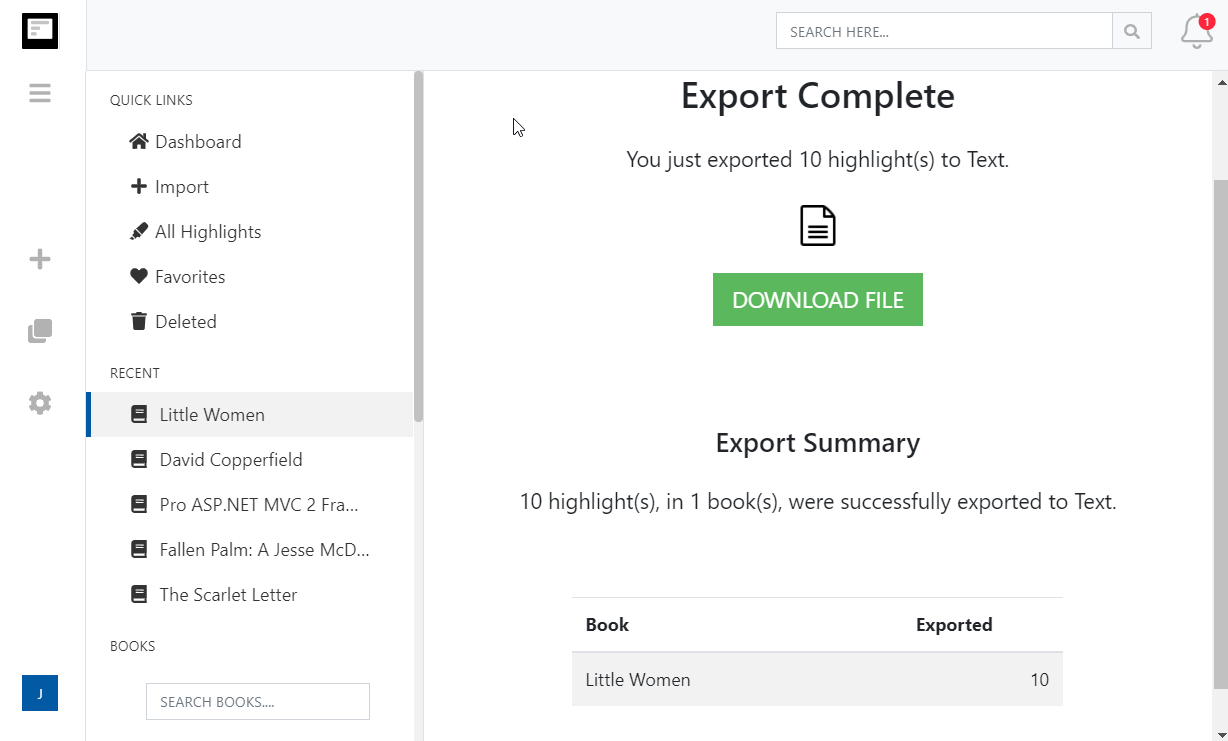
- Esportare le evidenziazioni di Kindle non è mai stato così facile. Ti basta andare sulla pagina di esportazione e scegliere l'integrazione di destinazione o il formato del file.
- Posso importare le evidenziazioni e le note di Kindle realizzate su documenti personali (documenti non di Amazon)?
- Sì. Consulta il nostro post sul blog Come salvare le evidenziazioni di Kindle nei documenti personali
More about Kindle highlights and Clippings.io
- Where are my Kindle highlights stored?
- In up to four places: on the Kindle inside each book, in the My Clippings.txt file on the device, at read.amazon.com/notebook for books bought from Amazon, and in the Kindle app. Each shows a different subset. Where your Kindle highlights are, and how to export them walks through all four.
- How do I delete a Kindle highlight?
- Tap the highlight on the Kindle or in the app and choose Delete, or use the highlight's menu at read.amazon.com/notebook. Deleting in Clippings.io never changes anything on Amazon or the Kindle. See how to delete Kindle highlights.
- Does Clippings.io work with Amazon stores outside the United States?
- Yes. The browser extension has a store picker for amazon.com, .co.uk, .de, .fr, .es, .it, .nl, .ca, .com.mx, .com.br, .com.au, .in and .co.jp, and My Clippings.txt is the same file on every Kindle. Evernote China (印象笔记) is supported as its own export connection.
- Which files can I upload?
- My Clippings.txt from the Kindle, the Notebook export (.html) that the Kindle app emails you, and JSON exports from Clippings.io itself. Uploads are deduplicated against everything you have already imported, so re-uploading a file never doubles your library.
- Is Clippings.io a browser extension or a website?
- Both. Your library lives in the web app at my.clippings.io. The browser extension for Chrome, Edge, Firefox and Brave is the fastest way to import from Amazon; the web app also accepts file uploads. There are no mobile apps.
- What can I export to?
- Notion, Markdown, Dropbox, Google Drive, OneDrive, OneNote, Evernote, Word, Excel, PDF, Text, EPUB, JSON, OpenDocument Text and OpenDocument Spreadsheet. Every destination remembers what it has already received, so a repeat export sends only new highlights; a reset re-sends everything.
- What does the free plan include?
- Unlimited imports from Amazon and from files, deduplication, the highlights explorer with editing, tagging and search, and every export destination with each exported highlight cut to its first 100 characters. The professional plan removes the 100-character limit; see pricing. There is no free trial of the professional plan and no lifetime plan.
- Do exports create duplicates if I run them again?
- No. Clippings.io keeps a record of what each destination has received. Cloud destinations get only the books with new highlights, and a book's note or file is replaced rather than duplicated. If you want everything sent again, reset the destination in Settings, Integrations.
Pronto a partecipare?Inizia con un account gratuito oggi stesso.
Evidenzia una volta, ricorda per sempre. Inizia a ottenere il massimo dai libri che leggi sul tuo Kindle.
Iscriviti gratis