Häufig gestellte Fragen
Sie können die gesuchte Antwort nicht finden? Wenden Sie sich an unser Kundensupport-Team
- Wie kann ich meine Kindle-Highlights zu Clippings.io importieren?
- Verwenden Sie einfach die Clippings.io-Browser-Erweiterung oder laden Sie die „my clippings.txt“-Datei auf der Importseite hoch
- Welche Kindle-Versionen werden unterstützt?
- Wir unterstützen alle Versionen des Amazon Kindle. Wenn Sie über die Clippings.io-Browser-Erweiterung importieren, unterstützen wir alle Kindle-Versionen sowie jedes Gerät, das die verschiedenen Kindle-Reader-Apps unterstützt, z. B. iPad, iPhone und Android-Geräte. Wenn Sie über Ihre „My Clippings.txt“-Datei importieren, unterstützen wir alle Kindle-Versionen, die eine Clippings-Datei erstellen. Schritt-für-Schritt-Anleitungen für jedes Modell, vom einfachen Kindle bis zum Scribe und zur Kindle-App, finden Sie unter Auf dem Kindle markieren.
- Wie exportiere ich meine Kindle-Highlights?
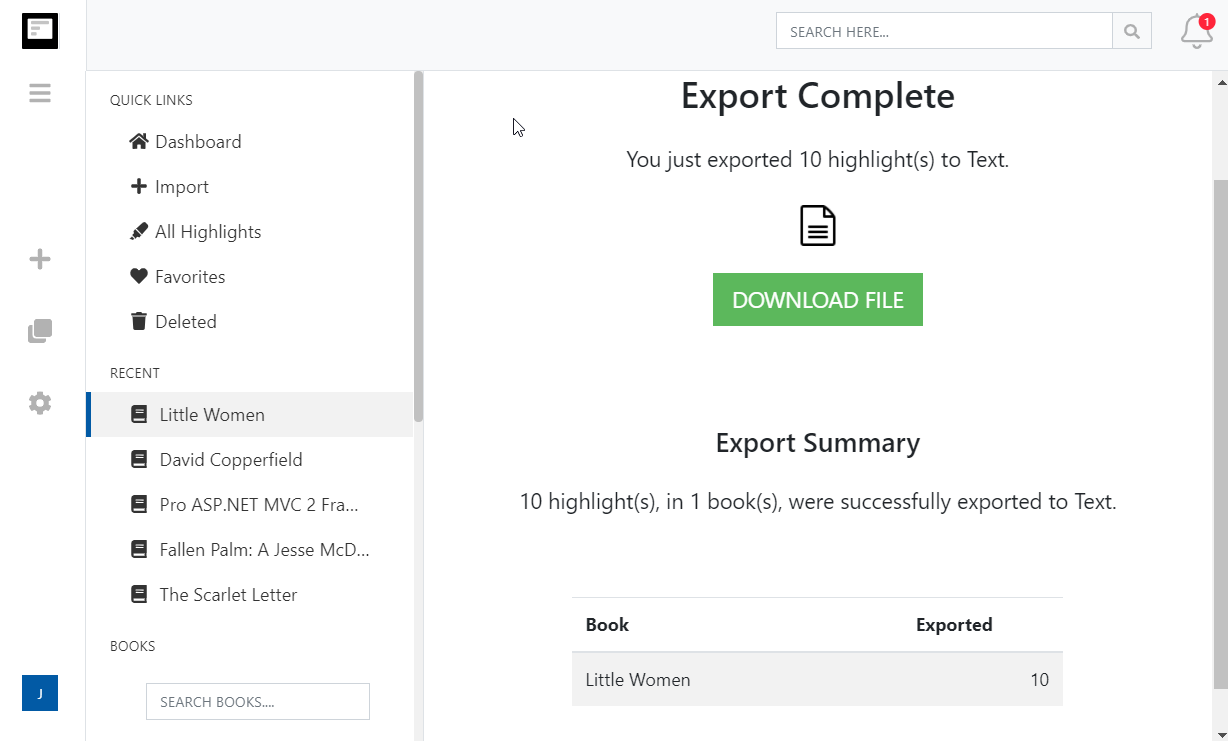
- Das Exportieren Ihrer Kindle-Highlights war noch nie so einfach. Gehen Sie einfach zur Exportseite und wählen Sie die Zielintegration oder das Dateiformat.
- Kann ich Kindle-Highlights und -Notizen aus persönlichen Dokumenten (Nicht-Amazon-Dokumenten) importieren?
- Ja. Bitte lesen Sie unseren Blogbeitrag Kindle-Highlights in persönlichen Dokumenten speichern
More about Kindle highlights and Clippings.io
- Where are my Kindle highlights stored?
- In up to four places: on the Kindle inside each book, in the My Clippings.txt file on the device, at read.amazon.com/notebook for books bought from Amazon, and in the Kindle app. Each shows a different subset. Where your Kindle highlights are, and how to export them walks through all four.
- How do I delete a Kindle highlight?
- Tap the highlight on the Kindle or in the app and choose Delete, or use the highlight's menu at read.amazon.com/notebook. Deleting in Clippings.io never changes anything on Amazon or the Kindle. See how to delete Kindle highlights.
- Does Clippings.io work with Amazon stores outside the United States?
- Yes. The browser extension has a store picker for amazon.com, .co.uk, .de, .fr, .es, .it, .nl, .ca, .com.mx, .com.br, .com.au, .in and .co.jp, and My Clippings.txt is the same file on every Kindle. Evernote China (印象笔记) is supported as its own export connection.
- Which files can I upload?
- My Clippings.txt from the Kindle, the Notebook export (.html) that the Kindle app emails you, and JSON exports from Clippings.io itself. Uploads are deduplicated against everything you have already imported, so re-uploading a file never doubles your library.
- Is Clippings.io a browser extension or a website?
- Both. Your library lives in the web app at my.clippings.io. The browser extension for Chrome, Edge, Firefox and Brave is the fastest way to import from Amazon; the web app also accepts file uploads. There are no mobile apps.
- What can I export to?
- Notion, Markdown, Dropbox, Google Drive, OneDrive, OneNote, Evernote, Word, Excel, PDF, Text, EPUB, JSON, OpenDocument Text and OpenDocument Spreadsheet. Every destination remembers what it has already received, so a repeat export sends only new highlights; a reset re-sends everything.
- What does the free plan include?
- Unlimited imports from Amazon and from files, deduplication, the highlights explorer with editing, tagging and search, and every export destination with each exported highlight cut to its first 100 characters. The professional plan removes the 100-character limit; see pricing. There is no free trial of the professional plan and no lifetime plan.
- Do exports create duplicates if I run them again?
- No. Clippings.io keeps a record of what each destination has received. Cloud destinations get only the books with new highlights, and a book's note or file is replaced rather than duplicated. If you want everything sent again, reset the destination in Settings, Integrations.
Bereit, einzutauchen?Fangen Sie noch heute mit einem kostenlosen Konto an.
Einmal markieren, für immer merken. Machen Sie das Beste aus den Büchern, die Sie auf Ihrem Kindle lesen.
Kostenlos registrieren