
Using the Explorer
Editing your Highlights
Overview
Editing your Kindle Highlights can be useful in many situations like when you accidentally highlighted the wrong content and you want to trim the content or when you want to add additional information.
Entering Edit Mode
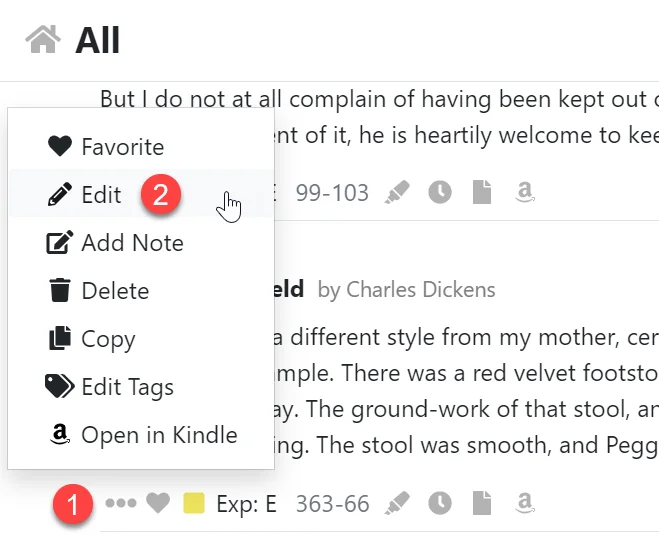
- Open the action menu by clicking the three dot icon.
- Click the Edit menu item.
Editing your Highlight
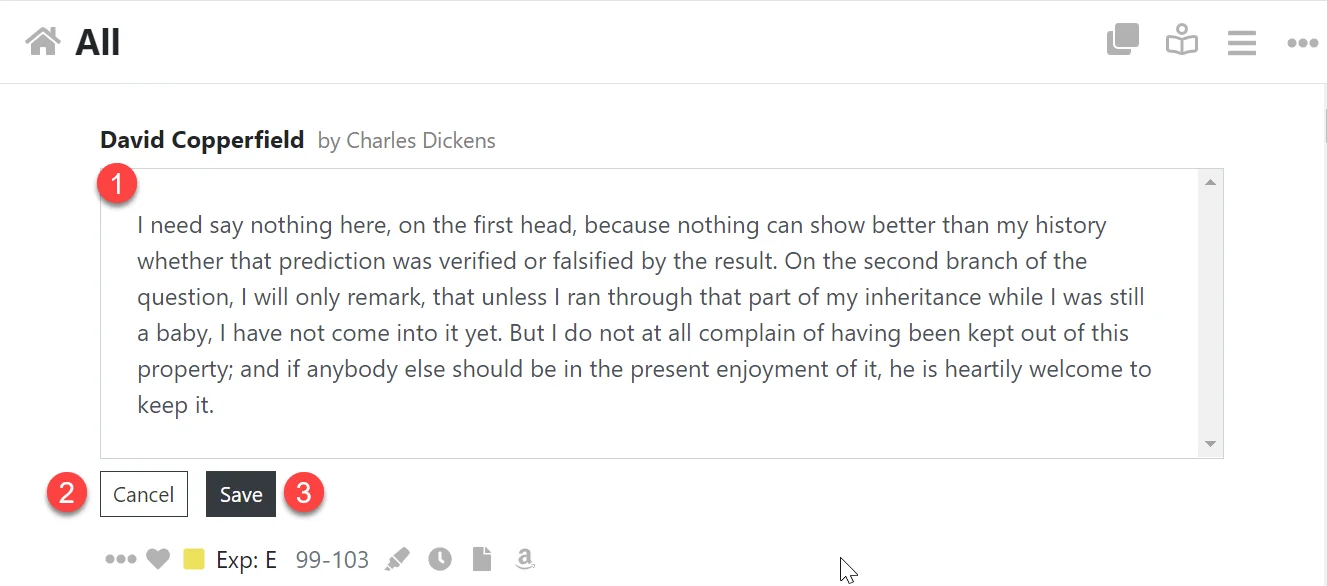
- Edit the content of your Highlight in the input area.
- Click the Cancel button to disgard your changes.
- Click the Save button to save your changes.
Working with Individual Highlights
The Kindle Highlight Editor allows you to view and edit your Kindle Highlights and perform actions to help organise your Highlights like favoriting and…
Adding Notes to your Kindle Highlights
The Explorer allows you to add notes to your Kindle Highlights or to a Book.