
Explorer Display Options
Overview
The display options menu is used to control how your Kindle highlights are displayed in the Explorer. Control which Kindle annotations are displayed, the order they are sorted in and display options like toggling the reading mode.
Display Options Menu
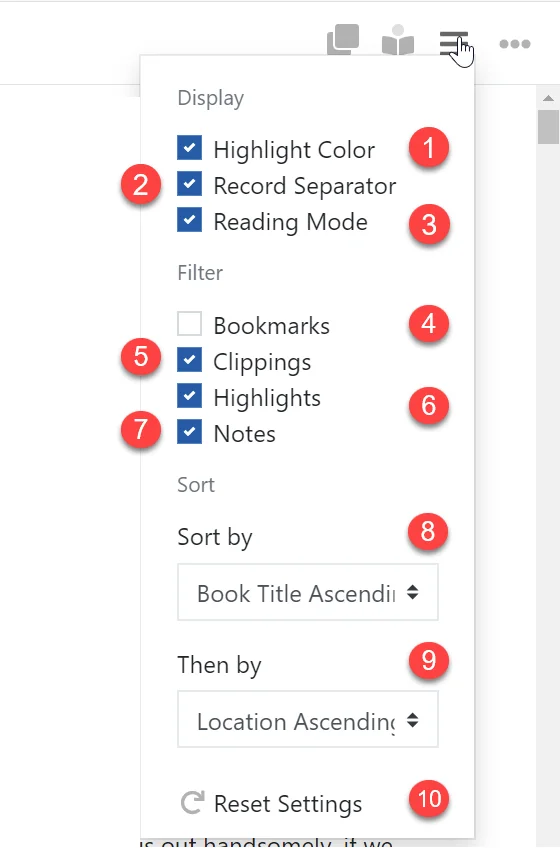
Use the display options menu to control how your Kindle Highlights are displayed. The display options menu can be found at the top right of the screen.
-
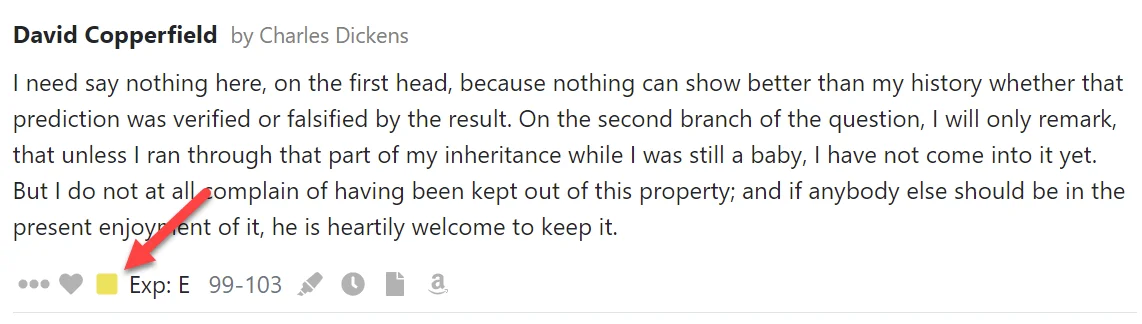
Toggle whether the Kindle Highlight Color is displayed in the Kindle Highlight footer.
-
Toggle whether a record separator is displayed between each Kindle Highlight.
-
Toggles reading mode on and off. See the Reading Mode guide.
-
Toggles whether Bookmarks are displayed.
-
Toggles whether Clippings are displayed.
-
Toggles whether Highlights are displayed.
-
Toggles whether Notes are displayed.
-
Determines the sort order of your Kindle Highlights.
-
Determines the secondary sort order of your Kindle Highlights.
-
Reset your display options to their default settings.
Navigating your Kindle Highlights
Quickly navigate your Kindle Highlights using the left hand navigation menu. The menu can be collapsed and expanded using the three bar icon directly…
Working with Individual Highlights
The Kindle Highlight Editor allows you to view and edit your Kindle Highlights and perform actions to help organise your Highlights like favoriting and…