
Using the Explorer
Favoriting your Kindle Highlights
Overview
Your favoritie Kindle Highlights can be found on the Favorites page in the Explorer. Easily mark a Kindle Highlight as a favorite by clicking the heart icon.
Favoriting a Highlight
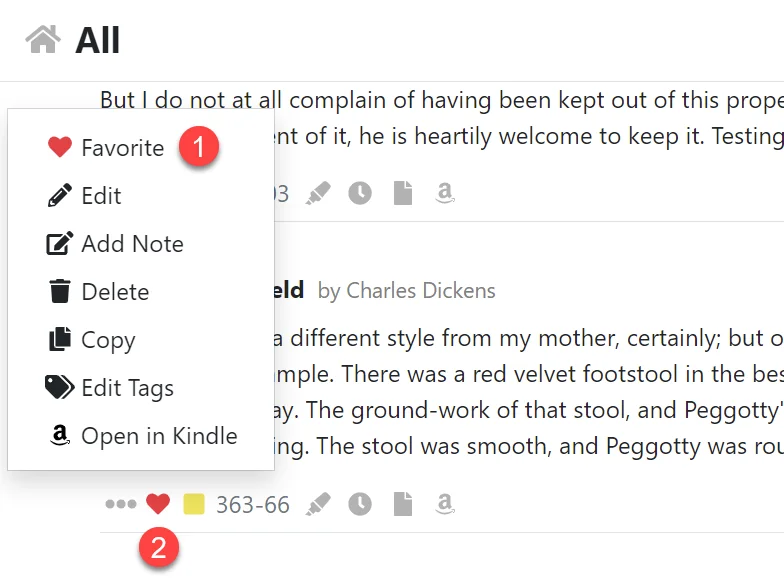
- Click the Favorite menu item to mark a Kindle Highlight as a favorite.
- Or click the Heart icon on the info bar.
Viewing and Exporting your Favorite Highlights
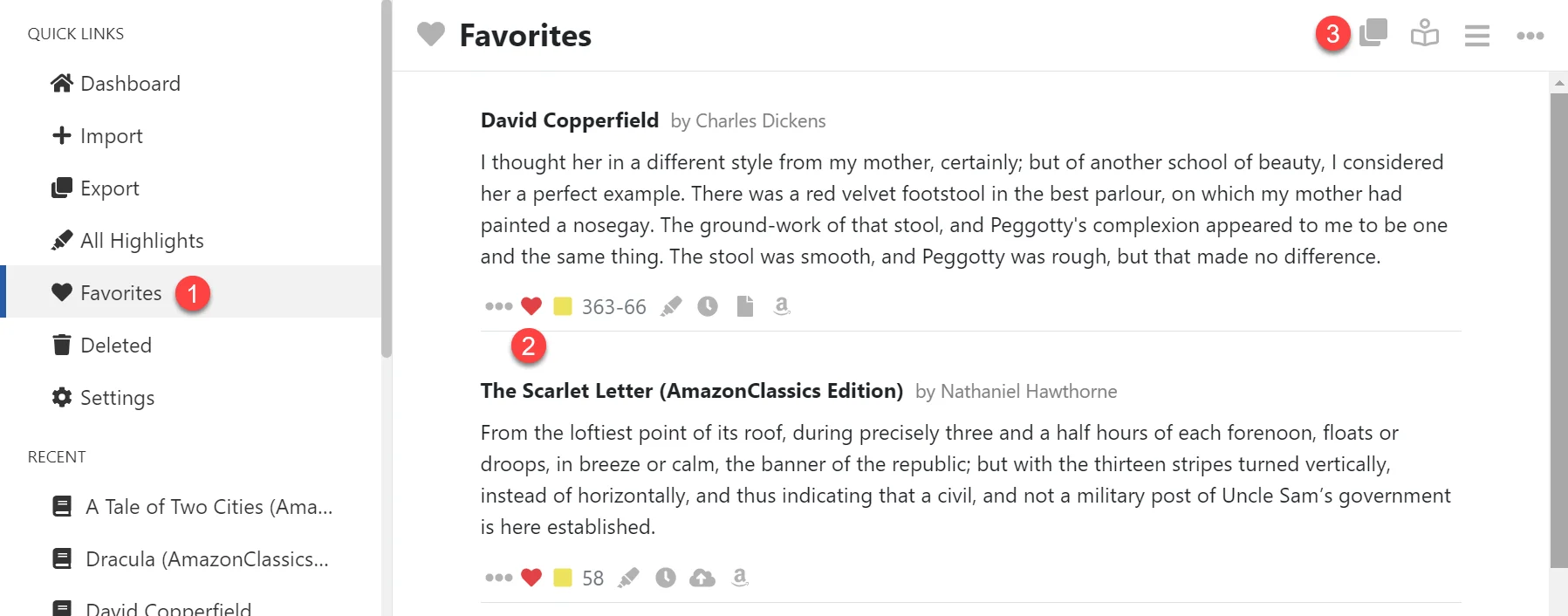
- Display your Favorite Kindle Highlights in the Explorer by clicking the Favorites item in the left hand navigation menu.
- Remove an item from your Favorites by clicking the Heart icon.
- Export your Favorite highlights by clicking Export icon in the toolbar. See Exporting your Kindle Highlights